OR
Marketing header synchronized
A hero principal foi atualizada com o preset enterprise sem quebrar tokens locais.
LiveAutomated handoff ready
Device preview
Alterne o viewport para revisar a mesma composição em mobile, tablet e desktop.
Desktop • Tela livre
Esta visão agrupa os painéis em jornadas reais de produto, operação, governança, conteúdo, analytics e distribuição. O objetivo aqui é testar a biblioteca como uma plataforma completa, não como componentes isolados.
Atalhos por jornada
Use as âncoras para pular entre as quatro áreas do sistema.
Abertura do sistema com autenticação, onboarding, leitura operacional inicial e settings.
Auth and access
Entrada, confiança e primeiros controles para a superfície administrativa.
Bloco pensado para login, convites privados e handoff entre equipes de produto, design e operação.
Camada de autenticação
Fluxo com e-mail principal, senha ou OTP e contexto de suporte.
Coerência visual
Mantém o tom premium do sistema sem virar um layout genérico de formulário.
Reuso por IA
Serve como referência pronta para agentes gerarem landing gates, private previews e admin access.
“Autenticação também comunica confiança. O layout precisa ser útil, claro e visualmente intencional.”

Assistente de produto
Operational UX
— Equipe Camaleon
Use seu e-mail principal e o código seguro enviado pelo time de operação.
Esse e-mail vira referência principal para alertas e auditoria.
Senha ou token de acesso principal, dependendo do ambiente.
Código de uso único enviado por e-mail ou aplicativo autenticador.
Client onboarding
Abertura da operação com status inicial e organização de contexto.
Use este bloco como ponto de partida para onboarding, setup operacional e handoff de marca entre times ou agentes.
Esse nome alimenta navegação, docs e geração automática de blocos.
Slug usado em provisionamento e preview.
Ideal para capturar canal principal ou dominio a ser configurado.
Fluxo auditado no Figma para aprovacoes, autenticação e handoff com OTP.
Esse texto vira contexto rico para gerar interfaces, experiências e documentação com mais qualidade visual.
Operations insights
Painel enxuto para acompanhar sinais operacionais centrais.
Operational insights
Bloco composto para supervisionar rollout, handoff e saúde visual da biblioteca em contexto de dashboard.
Componentes prontos para uso em múltiplos clientes sem refazer a superfície.
92%
Theme tokens synchronized with the active client preset.
Navigation and headers already mapped to reusable surfaces.
Storybook references ready for other agents to compose from.
AI handoff quality
Stories and registry items aligned.
Workspace settings
Camada de configuração e governança aplicada logo no começo da jornada.
Bloco para settings, domínio, briefing operacional e validação de mudanças sensíveis.
Nome interno usado em docs, handoff e automações.
Alias usado em URLs, preview e provisionamento.
Domínio oficial usado na camada pública e nos acessos internos.
Registre tom de voz, restrições legais e prioridades de negócio para manter a IA alinhada.
Adicione categorias que ajudam na organização de templates, automações e filtros.
Use OTP para publicação de domínio, ajustes de billing ou trocas de identidade visual.
Fluxo seguro para evitar mudanças acidentais em ambientes de cliente.
Status atual
Aguardando confirmação
Última revisão
Hoje, 14:20
Canal de publicação
Production
Cadeia principal de execução do produto: comando, projeto, agenda, aprovações, atendimento, comunicação e release.
Command center
Vista principal para dashboards, status e próximas ações.
Painel composto para abrir uma área de operação com métricas, fila de navegação, status de rollout e sinais de atividade no mesmo contexto.
Blocos, docs e registry caminhando no mesmo ritmo de publicação.
94%
Superfícies reutilizáveis prontas para times internos e agentes.
74 items
Weekly rollout activity
Active workspaces
18
+14.2% vs last weekTurn this chart into a reusable block
Base pronta para dashboards, relatórios e visões executivas.
Recent command center updates
Marketing header synchronized
A hero principal foi atualizada com o preset enterprise sem quebrar tokens locais.
Navigation block regenerated
O agente reutilizou Application Navigation e Inline CTA para uma nova área de settings.
Client theme received
Paleta e raio do projeto Summit Health entraram na camada white-label.
Workspace command map
Use o slideout para alternar entre módulos, aprovações e áreas críticas sem sair do contexto do dashboard.
Client workspace
Operations
Need support?
Open a guided handoff with the system team.
Sequence pronta para operação contínua, revisões críticas e publicação de novas superfícies.
Validate scope
Confirmar prioridade e superfícies em foco.
Compose block
Montar a interface com primitives já consolidados.
Publish registry
Refletir exports e manifesto para consumo externo.
Share handoff
Atualizar docs e orientar próximos agentes.
AI-friendly structure
Ideal para dashboards operacionais, launch consoles e superfícies de acompanhamento contínuo.
Project workspace
Coordenação do projeto com entregas, foco e acompanhamento.
Bloco de aplicação para workspaces de projeto com ações rápidas, upload contextual, sinais de progresso e atividade recente no mesmo canvas.
Upload project assets
Zona de upload white-label para entregar arquivos, referências e pacotes visuais sem perder consistência no app.
Drop files here or browse your workspace
Compatível com handoff de branding, imagens, pacotes ZIP e materiais de projeto.
brand-guidelines.pdf
8.4 MB
100% uploaded
100%dashboard-assets.zip
24.1 MB
72% uploaded
72%hero-illustrations.fig
13.6 MB
38% uploaded
38%Blend delivery status, asset readiness and rollout momentum without switching surfaces.
Project completion
Overall progress across setup, assets and launch preparation.
Workspace setup
84%Navigation, surfaces and ownership aligned.
Asset handoff
67%Files and source material ready for reuse.
Launch prep
42%Final rollout tasks still in progress.
Recent project activity
Marketing header synchronized
A hero principal foi atualizada com o preset enterprise sem quebrar tokens locais.
Navigation block regenerated
O agente reutilizou Application Navigation e Inline CTA para uma nova área de settings.
Client theme received
Paleta e raio do projeto Summit Health entraram na camada white-label.
Scheduling workspace
Agenda, cadência operacional e contexto de encontros.
Bloco de aplicação para planejamento com calendário, filtros, lanes de agenda e fluxo de preparação em uma superfície única.
Use this block for launch scheduling, customer sessions, delivery cadences or any operating calendar that needs context and motion.
junho de 2026
Calendario white-label para agendamentos e rollout.
A compact control card helps agents adapt the same scheduling surface across different products and teams.
Scheduled touchpoints now confirmed inside the active planning window.
12
Events still exposed to missing owners, timezone drift or incomplete prep.
02
Tabs turn the same block into a weekly planner, launch scheduler or customer operations agenda.
Partner onboarding session
EnablementTue, 14:00
Release coordination review
PlatformWed, 10:30
Customer launch rehearsal
SuccessFri, 16:00
This keeps the panel useful not just for dates, but for operational readiness around those dates.
Confirm owners and audience
Assign the responsible team and verify who needs to be in the room.
Lock schedule details
Validate timezone, materials and communication windows for each event.
Prepare assets and handoff
Make decks, notes and public artifacts available before the session starts.
Close with next actions
Document outcomes and create follow-up tasks while context is still fresh.
Approvals workspace
Fila de aprovação, tabs e decisões críticas no mesmo fluxo.
Bloco de aplicação para filas de aprovação com métricas, tabs de revisão, tabela de itens e atividade recente em uma única superfície.
A portion of the queue still needs cross-team feedback.
Keep the approval surface honest about items blocked by compliance, legal or missing product context before publishing downstream.
Approved assets cleared in the current review window.
42
Number of items still blocked by missing dependencies or feedback.
03
Tabs make this block useful for legal reviews, content approvals, QA sign-off and any workflow with a clear queue state.
| Asset | Owner | Due | Status |
|---|---|---|---|
| Release notes v2 | Product marketing | Today, 17:00 | Ready |
| Billing rollout copy | Lifecycle team | Tomorrow, 10:30 | Needs changes |
| Customer migration email | Ops enablement | Tomorrow, 14:00 | Blocked |
Recent approval activity
Product update approved for public release
The release note now matches the roadmap and no longer blocks registry publication.
Compliance requested a copy revision
Pricing addendum needs a final wording pass before the footer bundle can ship.
Support macro prepared for launch
Customer-facing responses are drafted and ready as soon as the batch is approved.
Support workspace
Atendimento, follow-up e ownership operacional.
Bloco de aplicação para operações de suporte, customer success e handoff entre equipes com mensagem, métricas e próximos passos no mesmo canvas.
Customer success thread
A nova camada de Application Components já cobre headers, navegação, modal e command menu. Podemos seguir para messaging e metrics avançadas.
Perfeito. Vou reaproveitar os componentes finalizados para manter consistência entre dashboard, docs e handoff.
Ótimo. Garanta também exemplos visuais suficientes para que outros agentes gerem telas sem cair em placeholders genéricos.
Campo base para compor a próxima mensagem ou orientação operacional.
Tempo médio até a primeira resposta com contexto suficiente para agir.
42m
Workspaces com blockers de identidade, publicação ou rollout comercial.
03
Estrutura simples para atendimento, alinhamento técnico e fechamento com confiança.
Capture issue
Registrar contexto do cliente e impacto no produto.
Align owners
Distribuir ações entre design, engenharia e operações.
Ship update
Publicar a mudança com segurança e checklist de revisão.
Close loop
Responder cliente e consolidar aprendizados no sistema.
Client communication
Mensageria com cliente, touchpoints e fechamento de contexto.
Bloco de aplicação para comunicação com cliente com breadcrumb, métricas, tabela de touchpoints e thread de mensagens contextual.
The billing migration thread still needs customer confirmation.
Keep the workspace honest when one dependency still needs an answer before rollout commitments can be confirmed.
Average time between an external message and an owned internal response.
34m
Stakeholders currently included in the active rollout communication loop.
11
Useful for account teams, onboarding pods and release communication flows where timing and wording both matter.
| Stream | Owner | Next step | Status |
|---|---|---|---|
| Executive sponsor sync | Customer success | Agenda review today | Scheduled |
| Billing migration thread | Revenue ops | Waiting on customer reply | Waiting |
| Launch enablement handoff | Solutions team | Risk review requested | At risk |
Stakeholder thread
The customer is aligned on the launch date, but they still want written confirmation about the billing migration sequence.
I drafted a stakeholder update that explains the migration order, highlights the low-risk path and calls out the one remaining approval.
Perfect. Keep the note concise and add the exact confirmation we need so the reply can unblock scheduling today.
Campo base para compor a próxima mensagem ou orientação operacional.
Release workspace
Preparação, checklist e publicação controlada.
Bloco de aplicação para release management com KPIs, checklist de publicação e confirmação visual para áreas internas de operação.
This release still needs final review.
One publishing dependency is still blocked. Keep this warning visible until copy, QA and registry are aligned.
Volume entregue no ciclo atual com base nos artefatos já validados.
08
Confiança operacional após QA, revisão e checklist de publicação.
91%
Table pattern for launch boards, QA handoff and release orchestration.
| Release item | Owner | Status |
|---|---|---|
| Registry artifacts regenerated | Platform | Ready |
| Landing page QA on enterprise preset | Design | In review |
| Customer-facing copy signoff | Marketing | Blocked |
Progress structure for operations teams coordinating release windows and approvals.
Validate artifacts
Confirmar manifesto, exports e assets públicos.
Review blockers
Resolver QA, copy e dependências críticas.
Schedule publish
Alinhar janela de deploy e stakeholders.
Close release
Publicar, comunicar e registrar aprendizados.
Use this preview state as the final checkpoint before publishing a workspace, registry batch or release candidate.
Leitura, conteúdo, triagem, incidentes, testes e automação em uma camada contínua de operação.
Reporting workspace
KPIs e leitura executiva para analytics e reporting.
Bloco de aplicação para analytics e reporting com page header, KPIs e dois gráficos complementares prontos para dashboards executivos.
Receita consolidada com leitura rápida para status executivo.
$2.4M
Retenção líquida acompanhando as contas já ativas.
108%
Contas em atenção alta após revisão do pipeline.
07
Combine a chart for directional monitoring with a second view for period-over-period reading.
Weekly acquisition performance
Qualified sessions
18,240
+12.4% vs last weekTurn this chart into a reusable block
Base pronta para dashboards, relatórios e visões executivas.
Quarter-over-quarter commercial comparison
Use this view to compare the current cycle against the previous one without overloading the dashboard.
Q1
48% vs 34%
Q2
62% vs 49%
Q3
74% vs 57%
Q4
88% vs 64%
Intake workspace
Triagem, entrada de pedidos e organização da fila.
Bloco de aplicação para intake operacional com filtros, datas, tabela de pedidos, fluxo de triagem e atividade recente.
Two new requests still need qualification before they can move.
A few requests still lack owner, launch date or acceptance criteria. Make that visible early so the queue stays trustworthy.
This card helps agents and humans apply the same routing logic around priority, due date and ownership.
Anchor the request to a real operational date instead of leaving urgency implicit.
Useful for intake desks, internal service teams and AI-assisted operating queues that need transparent routing.
| Request | Source | Owner | Status |
|---|---|---|---|
| Enterprise launch checklist | Sales handoff | Platform ops | Triaged |
| Localized onboarding flow | Customer success | Experience | In review |
| Custom billing copy override | Finance ops | Unassigned | Blocked |
Average time from new request arrival to a qualified owner and route.
3.4h
Requests that entered the queue with enough context to move immediately.
14
A visible process helps keep routing consistent even when multiple owners or agents touch the same request.
Capture request context
Document objective, owner expectation and business impact clearly.
Qualify scope and due date
Check what is urgent, what is real and what still needs clarification.
Assign execution lane
Route the work to the team that can move it without creating hidden dependencies.
Close with follow-through
Send confirmation, next steps and any outstanding asks back to the requester.
Recent intake activity
Launch support request routed to platform ops
The brief included owner, due date and acceptance criteria, so it moved immediately.
Localization request sent back for clarification
The requester still needs to confirm target locales and sign-off expectations.
Billing override queued for finance review
The team captured the ask, but ownership is still pending before scheduling execution.
Incident ops
Superfície para resposta, priorização e comunicação de incidentes.
Bloco de aplicação para operação contínua com alertas, métricas de incidente, matriz de serviços e fluxo de resposta em uma superfície única.
Critical rollout instability detected.
One customer-facing environment is still unstable. Keep the incident surface focused on mitigation, communication and safe release sequencing.
Average time from alert to an owned triage response.
11m
Number of affected surfaces under active mitigation.
03
Compact table for ops workspaces, customer-impact reviews and ongoing incident coordination.
| Service | Impact | Owner | Status |
|---|---|---|---|
| Registry publishing | Delayed public sync | Platform | Investigating |
| Docs index | Healthy and reachable | Experience | Stable |
| Customer rollout env | Intermittent preview failures | Operations | Critical |
A clear recovery sequence helps agents and humans act on the same timeline.
Detect and assess
Confirmar sintomas, impacto e owner inicial.
Mitigate and communicate
Conter o dano e alinhar atualização para stakeholders.
Stabilize release path
Revalidar rollout, QA e artefatos públicos.
Document learnings
Fechar o incidente com ações preventivas claras.
Syncing incident timeline
Use this state for live refreshes, timeline resyncs and operational waiting periods during active mitigation.
Content ops
Fluxo editorial, snippets, activity e execução de conteúdo.
Bloco de aplicação para content operations com editor, métricas, snippet reutilizável, timeline e paginação de revisão.
Drafts that moved from brief to review in the current content window.
08
Stories already carrying context, owner and reusable handoff material.
06
This surface works for release notes, customer updates, editorial copy and other content that needs operational ownership.
Use the editor area to shape the narrative while keeping the block opinionated enough for AI reuse.
A reusable snippet keeps editorial decisions portable for product, support and implementation agents.
export const rolloutUpdate = {
  audience: "customer-success",
  status: "ready-for-review",
  summary: "Migration path validated and support messaging aligned."
}Recent content activity
Release note moved into review
The copy now includes migration order, rollout scope and customer-facing tone guidance.
Support macro synced with latest draft
The editorial and operations teams are now working from the same core message.
Localization request queued
Regional variants will branch from this source draft once the base narrative is approved.
Experiment lab
Testes, controles e leitura experimental numa mesma área.
Bloco de aplicação para experimentação com chart, traffic split, toggles, radio goals e guardrails operacionais.
Lift detected on the current primary experiment goal.
+8.2%
Audience currently participating in the live traffic split.
42k
Experiment performance this week
Qualified sessions
42,180
+8.2% vs controlTurn this chart into a reusable block
Base pronta para dashboards, relatórios e visões executivas.
Current cohort vs previous cycle
Use the comparison pattern to show whether the current cycle is actually outperforming the baseline before widening exposure.
Q1
48% vs 34%
Q2
62% vs 49%
Q3
74% vs 57%
Q4
88% vs 64%
This side of the block turns strategy into explicit controls for teams and agents managing progressive exposure.
Shift exposure gradually when the team still needs confidence before a wider rollout.
Automation rules
Regras, toggles, gates e automação aplicada à operação.
Bloco de aplicação para automações com toggles de regra, checklists de proteção, modal de confirmação e atividade recente.
One automation bundle still needs protected approval before auto-run can expand.
A couple of rules can affect customer-facing surfaces, so the workspace keeps review and rollback thinking visible.
Successful runs completed without manual intervention in the current operating window.
99.2%
Automations still held behind an explicit approval step before execution.
02
Use this card for internal workflows, operational agents and automation bundles that need both speed and restraint.
Use the confirmation layer to make sensitive automation changes explicit before a rule set starts touching real surfaces.
Recent automation activity
Registry sync rule completed safely
The automation updated public artifacts and sent a clean summary to the owning team.
Customer-impact guardrail triggered a review
A downstream rule was paused because the projected blast radius exceeded the approved band.
Rollback path drafted for the next run
The team prepared a safer fallback before widening automation scope again.
Enablement hub
Treinamento, recursos e ativação para times internos.
Bloco de aplicação para enablement com video player, slideout lateral, timeline de atividade e CTA contextual para próximos passos.
Teams that completed the latest operational walkthrough with no extra coaching.
74%
Operators actively using the current enablement bundle during rollout week.
09
Launch readiness walkthrough
Walkthrough focused on rollout sequencing, stakeholder notes and the practical handoff path between operations and support.
Featured operational lesson
A training surface works better when teams can preview the exact workflow they are about to execute.
Pair clear walkthroughs with lightweight prompts so teams and agents can recover confidence without leaving the workspace.
Reference the right walkthrough
Point to the exact lesson that explains the next operational move.
Offer alternate entry points
Expose the side routes someone can take when the main path does not fit their role or context.
Finish with a next step
Turn follow-up guidance into a visible action instead of leaving it buried in notes.
Enablement navigation
Use the slideout pattern to package learning paths, support links and quick access to the right operational module.
Learning paths
Resources
Need support?
Open a guided handoff with the system team.
Turn the walkthrough into a real operational handoff.
Use a compact CTA here when someone should move directly from learning into action while the context is still fresh.
Recent enablement activity
Support team completed the new launch walkthrough
The squad now has the same sequencing and vocabulary as operations for the next rollout window.
Escalation lesson updated with a safer fallback path
The enablement pack now teaches what to do when a public sync becomes unstable mid-launch.
New partner onboarding module drafted
A dedicated path for external teams is queued for final review before publication.
Guided rollout
Orquestração de rollout com orientação explícita de progresso.
Bloco de aplicação para rollout guiado com checkpoints tabulares, dicas contextuais, sequência operacional e CTA de continuidade.
Milestones that moved into a safe launch-ready state during the current coordination window.
03
Checkpoint still exposed to approval or communication risk before the next step can proceed.
01
A rollout surface becomes more trustworthy when every milestone points to a specific owner and a concrete readiness signal.
| Milestone | Owner | Checkpoint | Status |
|---|---|---|---|
| Public registry sync | Platform | Artifacts regenerated | Aligned |
| Stakeholder communication | Customer success | Waiting on final confirmation | Watch |
| Regional launch variant | Experience | Missing approval | Blocked |
Push the rollout forward with one explicit operational move.
Use the compact CTA layer to move the team from interpretation into the one action that keeps momentum without hiding risk.
This sequence pairs well with registry publication, customer messaging, approval workflows and any launch that spans more than one owner.
Confirm launch intent
Validate what is shipping, for whom and under which risk assumptions.
Align visible checkpoints
Give each owner a clear readiness signal instead of vague launch status.
Advance with protected decisions
Escalate, approve or hold based on the checkpoint that is actually constraining progress.
Close with downstream clarity
Capture outcomes for support, docs and the next operating cycle.
A camada administrativa que cuida de acesso, handoff, briefing, parceiros, imprensa e ativos de marca.
Permissions workspace
Matriz de acesso, segurança e política de uso.
Bloco de aplicação para superfícies de permissões com visão executiva, toggles operacionais e matriz de papéis pronta para produto interno.
Sensitive access changes detected.
Three permission changes affect publishing, billing or domain ownership. Keep this area highly visible in admin workspaces.
Use toggles and policy checks to keep publication and operational changes safer.
Compliance checkpoints
A compact permission matrix for admin dashboards, workspace settings and review flows.
Governance snapshot
Ideal for permission reviews, stakeholder audits and internal admin products.
| Role | Scope | Members | Status |
|---|---|---|---|
| Workspace admins | Billing, domain changes, brand approval | 4 members | Healthy |
| Editors | Content, pages, registry drafts | 12 members | Needs review |
| External partners | Comment-only on rollout spaces | 3 members | Restricted |
Secure handoff
Entrega segura com verificação, trilha e controle.
Bloco de aplicação para handoff seguro com alerta, datas, OTP visual, métricas e sequência operacional.
One privileged environment still needs a final sign-off before release access is granted.
This surface is meant for transfers where timing, ownership and verification matter more than generic form completion.
Stakeholders who already confirmed the handoff path and operational scope.
04
Remaining time before the current verification window expires.
00:12
The OTP pattern gives this block a clear use case for privileged rollouts, access transfers and secure operational approvals.
Schedule the handoff against a real operational window and keep audit expectations visible.
Use the one-time verification state to reinforce that this action is protected and time-bound.
A visible sequence helps teams avoid risky shortcuts when privileged access or production movement is involved.
Confirm handoff scope
Validate the environment, owner and rollback expectations.
Approve secure window
Lock the transfer date and align everyone on the safe operating period.
Verify protected access
Use the one-time code and final sign-off before granting the transfer.
Record audit outcome
Close the loop with evidence, owners and follow-through actions.
Recent secure activity
Operations approved the production window
The handoff now has an agreed timebox and a named owner for verification.
Security requested a final reviewer check
One privileged environment still needs explicit acknowledgment before the code can be used.
Audit notes prepared for closeout
The evidence bundle is drafted and ready to attach once the handoff is complete.
Executive briefing
Leitura executiva e narrativa de decisão para liderança.
Bloco de aplicação para briefings executivos com content heading, divider, quote highlight e cards narrativos sem perder o tom operacional.
Priority decision now framed with explicit owner, timing and downstream implication.
02
Open point that could still affect launch confidence if it remains unresolved.
01
Use a content-first heading when the briefing needs to explain meaning, not just present status indicators.
What matters now
The registry and docs surfaces are aligned, partner communication is almost complete and the remaining risk sits in one approval-dependent regional variant.
For executive readers, the value of this block is compressing operational nuance into a small number of decisions with visible consequences.
A divider helps frame the shift from summary to implication, which is useful when the audience needs quick orientation.
“Executive surfaces are most useful when they reduce the number of interpretations, not when they merely restate the dashboard.”
Olivia Rhye
Design Systems
— Olivia Rhye, Design systems lead
Decision framing
Use this card to state the operating recommendation in full sentences, especially when the right move depends on coordination rather than raw metrics.
The same structure can serve board prep, launch checkpoints, customer-impact reviews or leadership syncs.
Partner portal
Experiência compartilhada para parceiros e stakeholders externos.
Bloco de aplicação para relacionamento com parceiros usando logos, content heading, quote highlight e cards editoriais dentro de uma superfície operacional.
Partner environments that now have the right assets, guidance and owners in place.
04
Shared playbooks currently available for partners to self-serve during rollout.
18


Use a branded but operational surface when external teams need confidence, not just raw instructions.
Portal guidance
Partner workspaces benefit from a clearer narrative than internal dashboards because they need to reduce ambiguity fast for people outside the core team.
A compact editorial card helps this block explain the operating model, not just list files or links.
“The best partner portals do not just share materials. They make the next operational move obvious even when the partner is working asynchronously.”
Maya Chen
Partner Success
— Maya Chen, Partner success lead
Launch alignment
Use this secondary card for rollout notes, expectations around approvals, or what the partner should do if one dependency stalls.
Because the component is white-label, it can shift between onboarding, co-marketing, enablement and external delivery portals without losing structure.
Press coverage
Monitoramento institucional e contexto de mídia.
Bloco de aplicação para cobertura de imprensa com press logos, section header, quote highlight e leitura editorial orientada a operação.
Coverage additions that expanded reach without distorting the product narrative.
04
Narratives now reinforced by external proof across media and launch communication.
03
Use a press-oriented workspace when media proof should support launch confidence, partner trust and stakeholder narrative.











A divider helps separate visible proof from the interpretation the team should actually act on.
Coverage interpretation
Use this zone to explain which media proof actually matters for the next launch or stakeholder conversation, rather than just listing logos.
Operationally, the value comes from connecting external validation back to internal timing and decision confidence.
“Media proof matters most when the team can explain what it changes in stakeholder confidence, not just where the logo appeared.”
Rafael Costa
Communications
— Rafael Costa, communications lead
Next move
Use the secondary card to recommend the actual follow-through: update a briefing, reinforce a partner deck, or reuse the proof in the launch window.
This keeps the block operational instead of turning it into a decorative press wall.
Brand governance
Aplicação da camada de marca dentro do sistema administrativo.
Bloco de aplicação para governança de marca com logos, divisores editoriais, section header e sinais operacionais de consistência.
Surfaces that now follow the current logo and identity rules without overrides.
21
Variant still showing visual drift from the approved white-label system.
01

Use a governance surface when the team needs to compare approved identity patterns against real rollout implementations.
Core rule
Treat the base identity as the reference point for spacing, hierarchy and system tone before you adapt local branding.
This prevents white-label customization from turning into visual drift.
Partner rule
Allow controlled variation in logo treatment and contextual surfaces, but keep the operational affordances recognizable.
The goal is flexibility with a visible contract.
A divider helps frame the shift from principle to real implementation examples.
Default identities

Badge identities

Governance note
Brand governance blocks are useful when decisions are not just aesthetic, but operationally consequential for docs, registry assets, partner kits and launch communication.
This structure gives the team a shared place to explain the system rule and the approved exceptions in the same canvas.
Media kit
Coordenação de ativos públicos e recursos de distribuição.
Bloco de aplicação para media kit com press logos, snippet reutilizável, section header e leitura editorial voltada para distribuição.
Media-ready pieces now available for launch, follow-up and partner amplification.
12
Distribution surfaces currently aligned with the latest proof and core messaging.
06
Use a media kit surface when proof, distribution and narrative assets need to be kept together instead of spread across docs and chat.
Distribution note
This area helps explain which assets are safe to circulate now and which talking points still depend on one more approval or timing decision.
That keeps the media kit operational instead of turning it into a static archive.
A structured payload helps comms, partner and launch teams reuse the same operating language across channels.
export const mediaKitPayload = {
  narrative: "launch-readiness",
  proof: ["press-coverage", "customer-quote", "partner-validation"],
  distribution: "approved-for-external-use"
}
Next move
Use the secondary card to frame the exact distribution recommendation: send to press, brief spokespeople, update the partner deck or hold until one risk clears.
That keeps the block honest about timing and not just asset completeness.
Design assets
Biblioteca interna de logos, ícones e referências de design.
Bloco de aplicação para assets de design com showcases de ícones e logos integrados em uma superfície operacional de referência.
Asset-facing components and blocks now share the same source of visual truth.
96
Figma-exported icon families already available for implementation reference.
Synced
Brand and partner logo treatments preserved across multiple operating surfaces.
02
Reference surfaces now embedded inside an application-level workspace instead of living only as isolated demos.
02
Use an application-facing asset workspace when engineering, design and operations need the same visual references inside the delivery flow.
A seção segue a página `↳ Logos` com `Logomark`, `Logo`, `Press logo` e uma vitrine de `Company logo` em `Default` e `Badge`.
Logomark
Logo
Press logo
Company logo / Light mode
Default e Badge no mesmo agrupamento visual do Figma.
Default
Badge
Company logo / Dark mode
Mesmo repertório sobre a superfície escura da página.
Default


Badge


A divider helps keep the logo library and icon system legible as two distinct but connected asset domains.
O arquivo do Figma não mostra só o catálogo. Ele também registra exemplos de navegação, componentes com e sem texto, regras de escala, overrides e export. Esta vitrine preserva essa mesma lógica em código.
Families
3463:407486
Layout
Grid, alignment, layers, rows, columns e controles de estrutura.
3463:407551
Charts
Bar charts, line charts, pie charts e tendências para métricas.
3463:407602
Security
Face ID, file locks, password states e sinais de proteção.
3463:408638
Weather
Conjunto climático com nuvens, temperatura, sol, lua e vento.
Reference icon

`align-bottom-01`
Exemplo direto de símbolo exportado da categoria `Layout`. Serve como referência de stroke, respiro e ritmo visual para os mapeamentos futuros da biblioteca completa.
Imported SVG library

Activity Heart
activity-heart.svg

Activity
activity.svg

Airplay
airplay.svg

Airpods
airpods.svg

Alarm Clock Check
alarm-clock-check.svg

Alarm Clock Minus
alarm-clock-minus.svg

Alarm Clock Off
alarm-clock-off.svg

Alarm Clock Plus
alarm-clock-plus.svg

Alarm Clock
alarm-clock.svg

Alert Circle
alert-circle.svg

Alert Hexagon
alert-hexagon.svg

Alert Octagon
alert-octagon.svg

Alert Square
alert-square.svg

Alert Triangle
alert-triangle.svg
Align Bottom 01
align-bottom-01.svg

Align Bottom 02
align-bottom-02.svg

Align Center
align-center.svg

Align Horizontal Centre 01
align-horizontal-centre-01.svg

Align Horizontal Centre 02
align-horizontal-centre-02.svg

Align Justify
align-justify.svg

Align Left 01
align-left-01.svg

Align Left 02
align-left-02.svg

Align Left
align-left.svg

Align Right 01
align-right-01.svg
Esta grade já usa os SVGs locais exportados do seu arquivo no Figma. Conforme fecharmos mais famílias, a biblioteca e os manifestos aumentam sem exigir credenciais extras ou dependência do pacote pago.
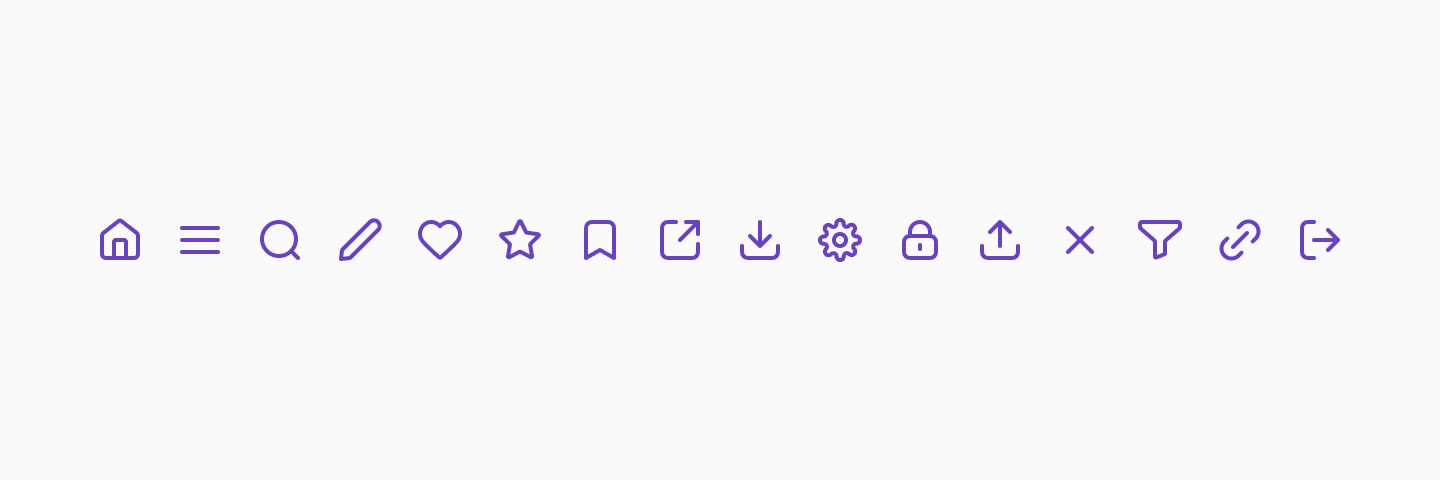
Universal icons
Universal icons
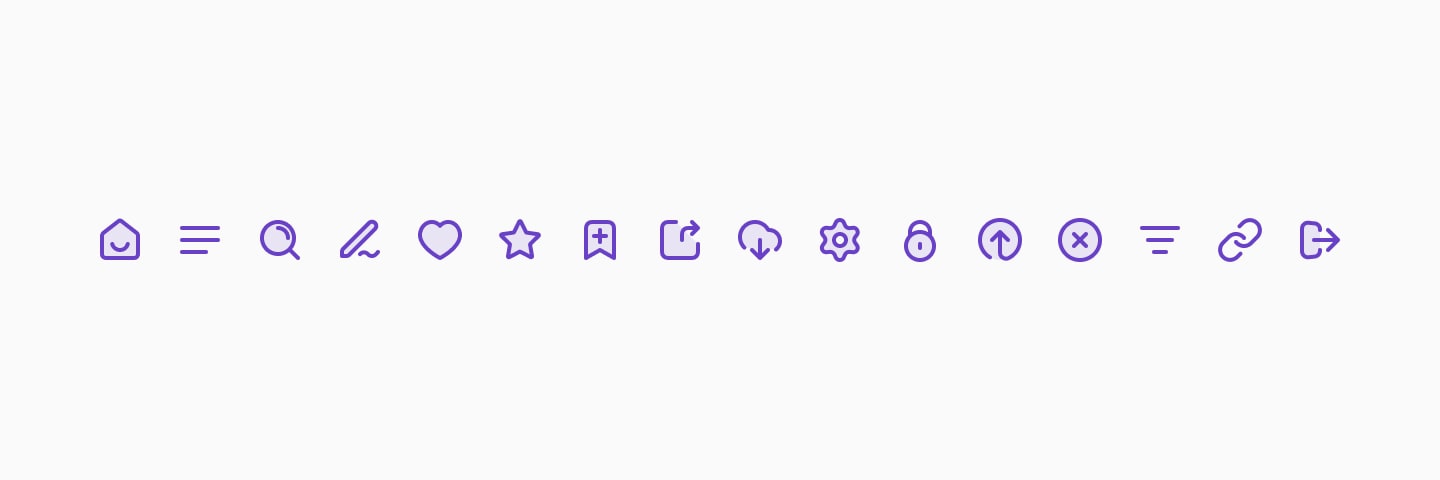
Universal icons duotone
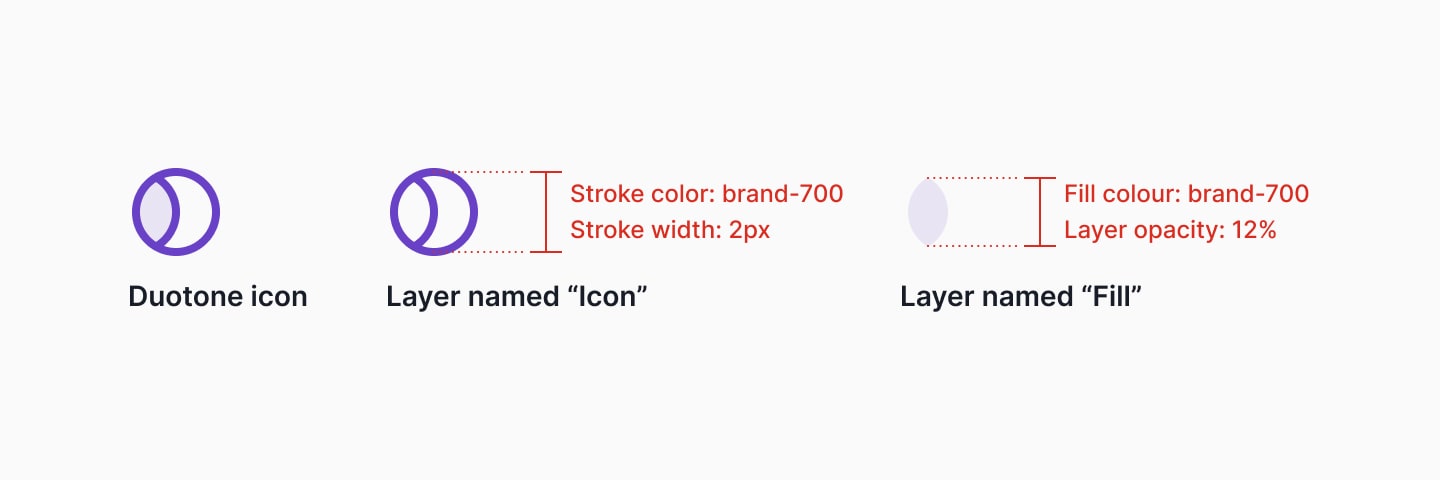
Contrato de duotone
Base stroke em `brand-700` e camada `Fill` com opacidade reduzida para manter leitura e consistência no white-label.
Universal icons duotone
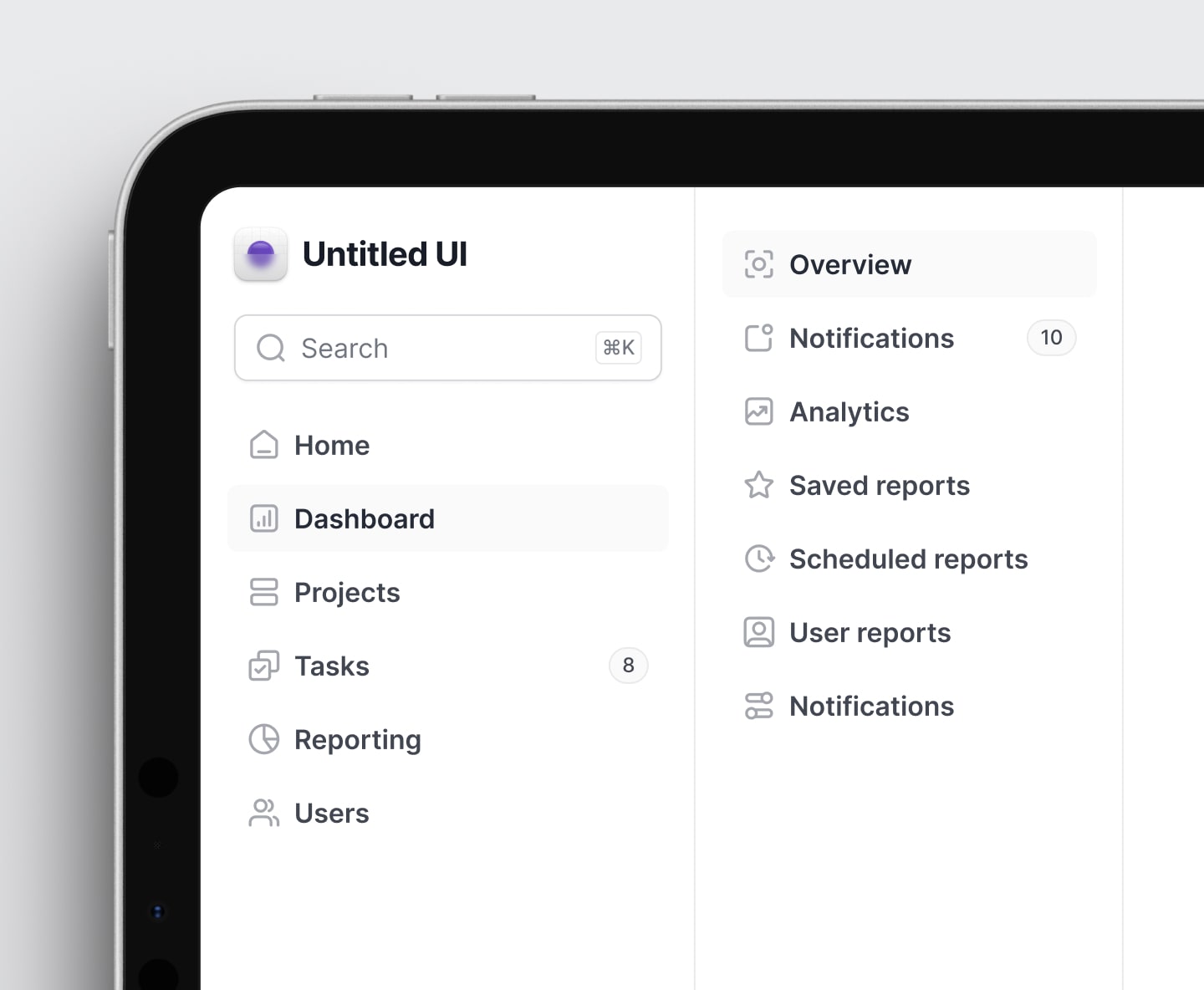
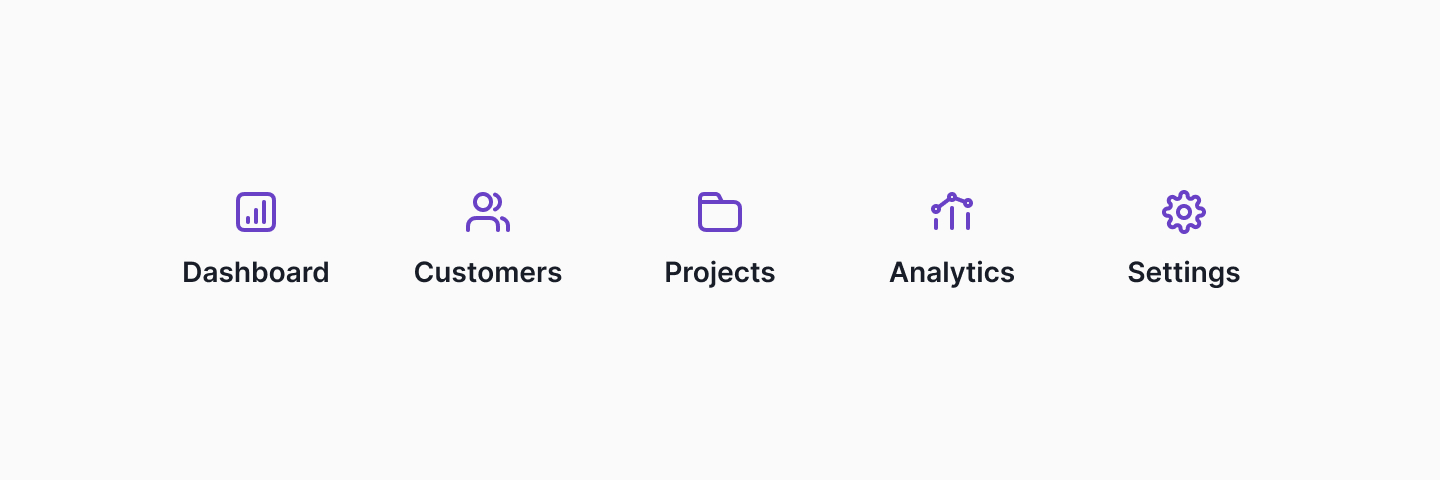
Navigation example
Captura exata do Figma
Icons with text
Dashboard
Customers
Projects
Analytics
Settings
Referência do arquivo
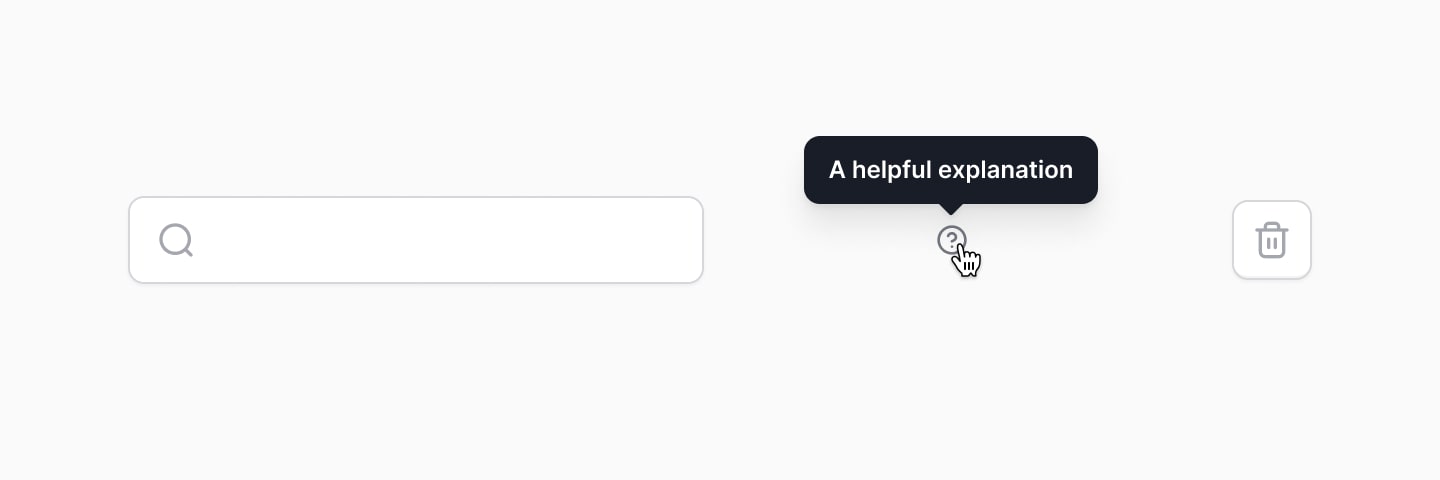
Icon components without text
Referência do arquivo
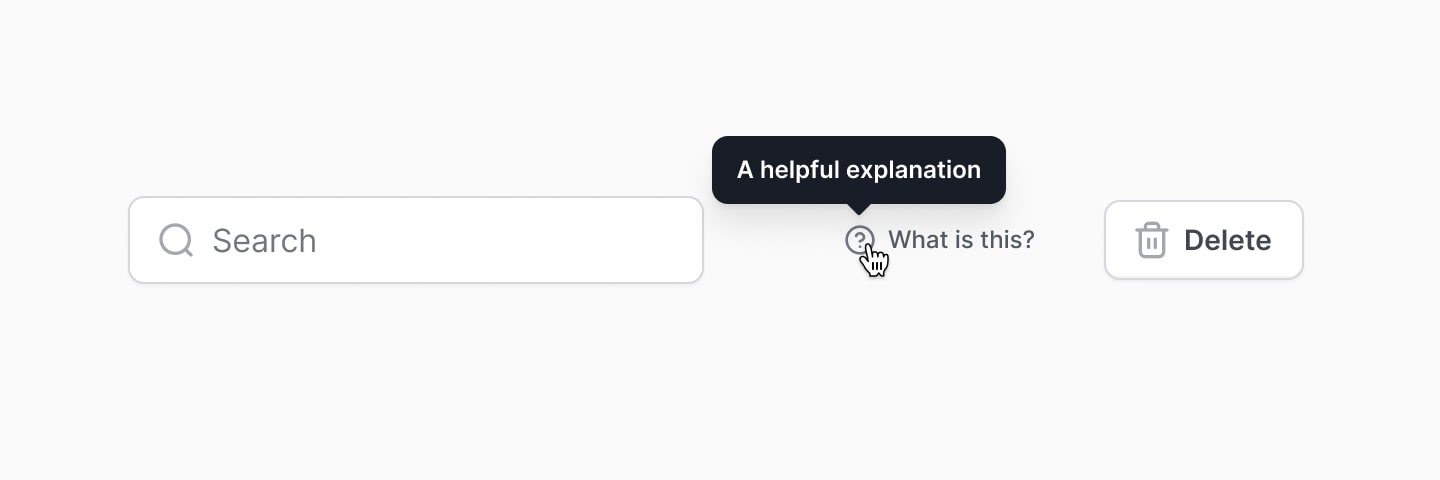
Icon components with text
Referência do arquivo
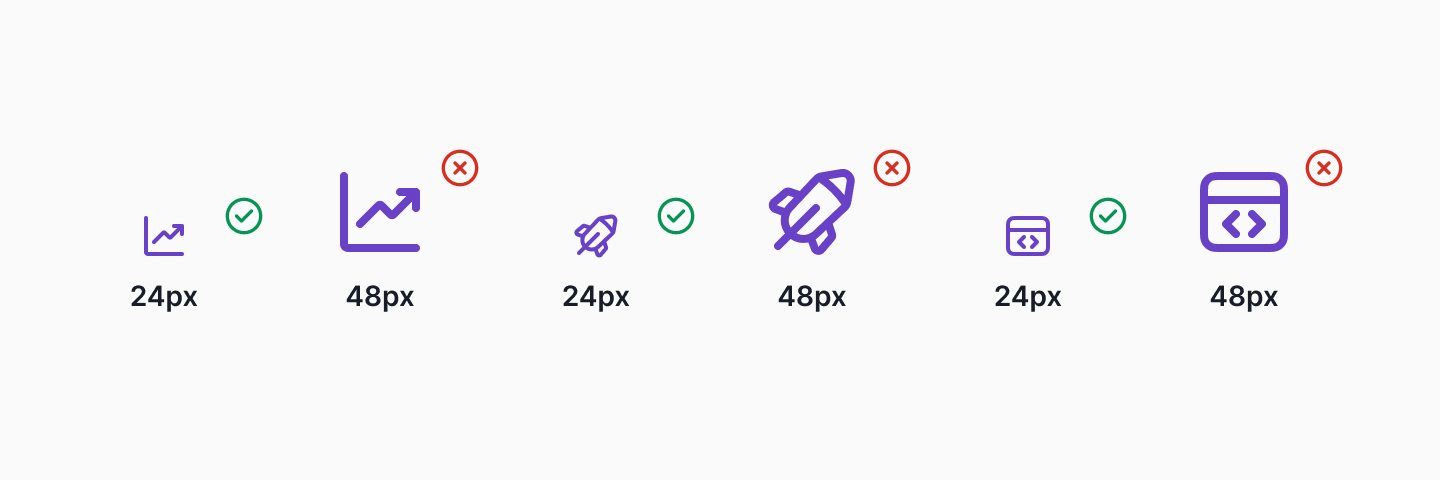
Icon scaling example
24px
48px
24px
48px
24px
48px
Referência do arquivo
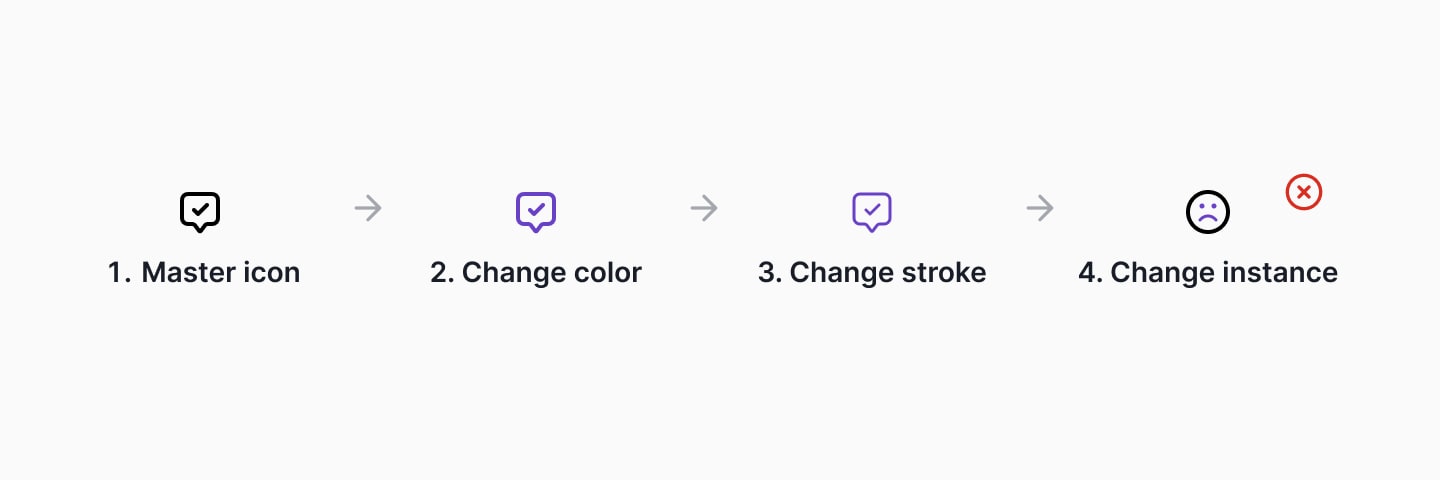
Icon overrides
1. Master icon
2. Change color
3. Change stroke
4. Change instance
Referência do arquivo
Anatomy of an icon
Duotone icon
Stroke color `brand-700` com espessura consistente para o layer principal.
Camada `Fill` separada, com opacidade controlada para manter contraste e flexibilidade de tema.
Referência do arquivo
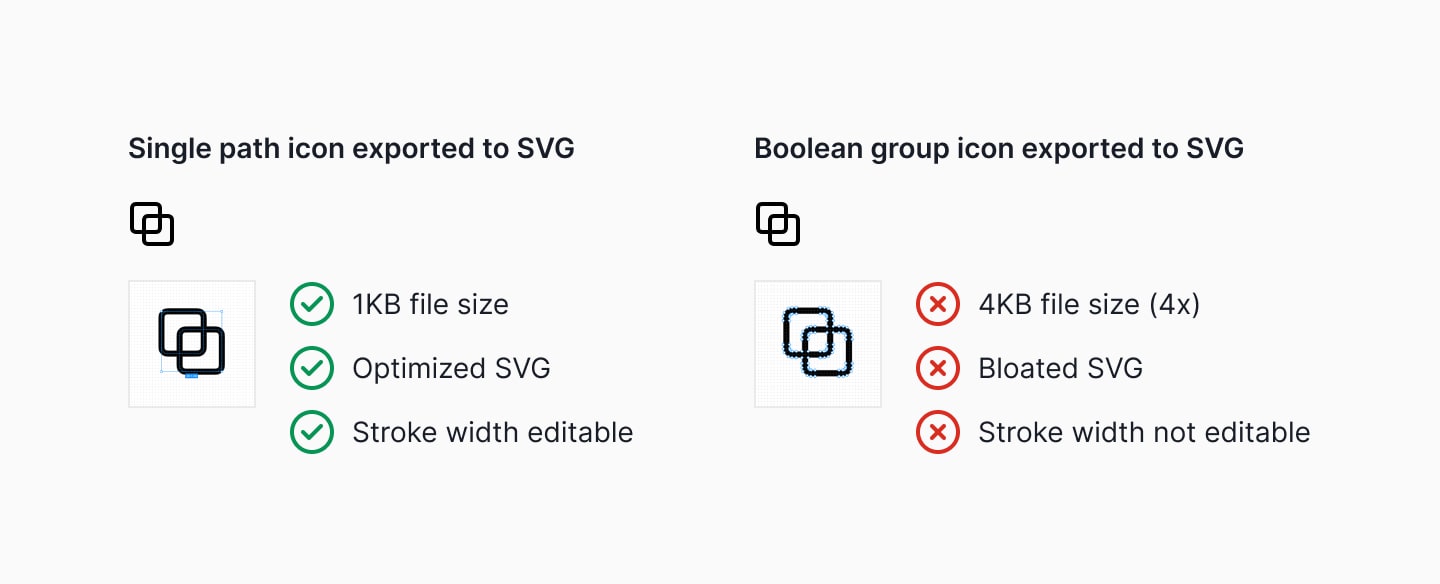
Avoid boolean groups
Single path icons geram SVG mais leve e com stroke editável.
Boolean groups aumentam peso e dificultam ajustes de traço.
Duotone deve manter layer `Icon` e layer `Fill` com opacidade controlada.
Referência do arquivo
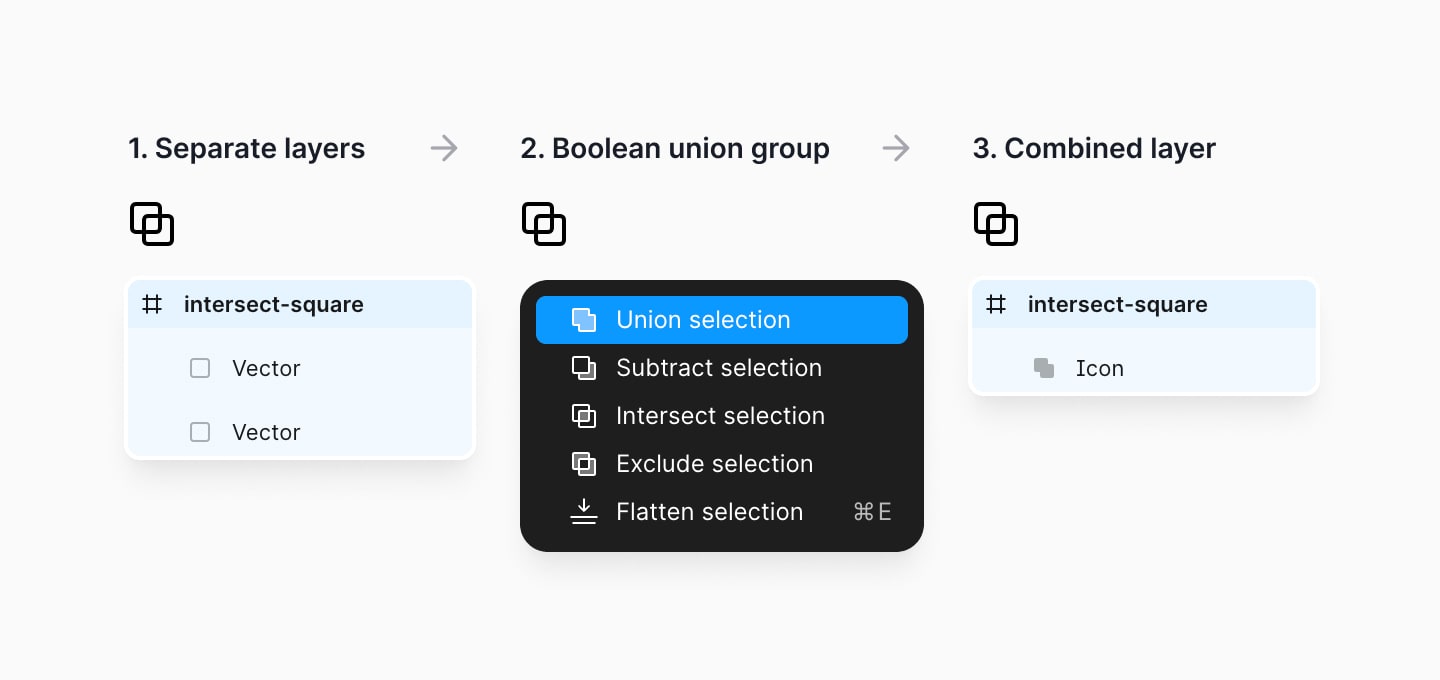
Single path vs boolean group
Referência do arquivo