Guided tour · Localhub CRM
WhatsApp, scheduling and scattered leads become a sales machine
In 8 steps, see how a small business leaves spreadsheets and sticky notes behind. Everything here is live in production — nothing is a roadmap promise.
Scroll to explore · the real product
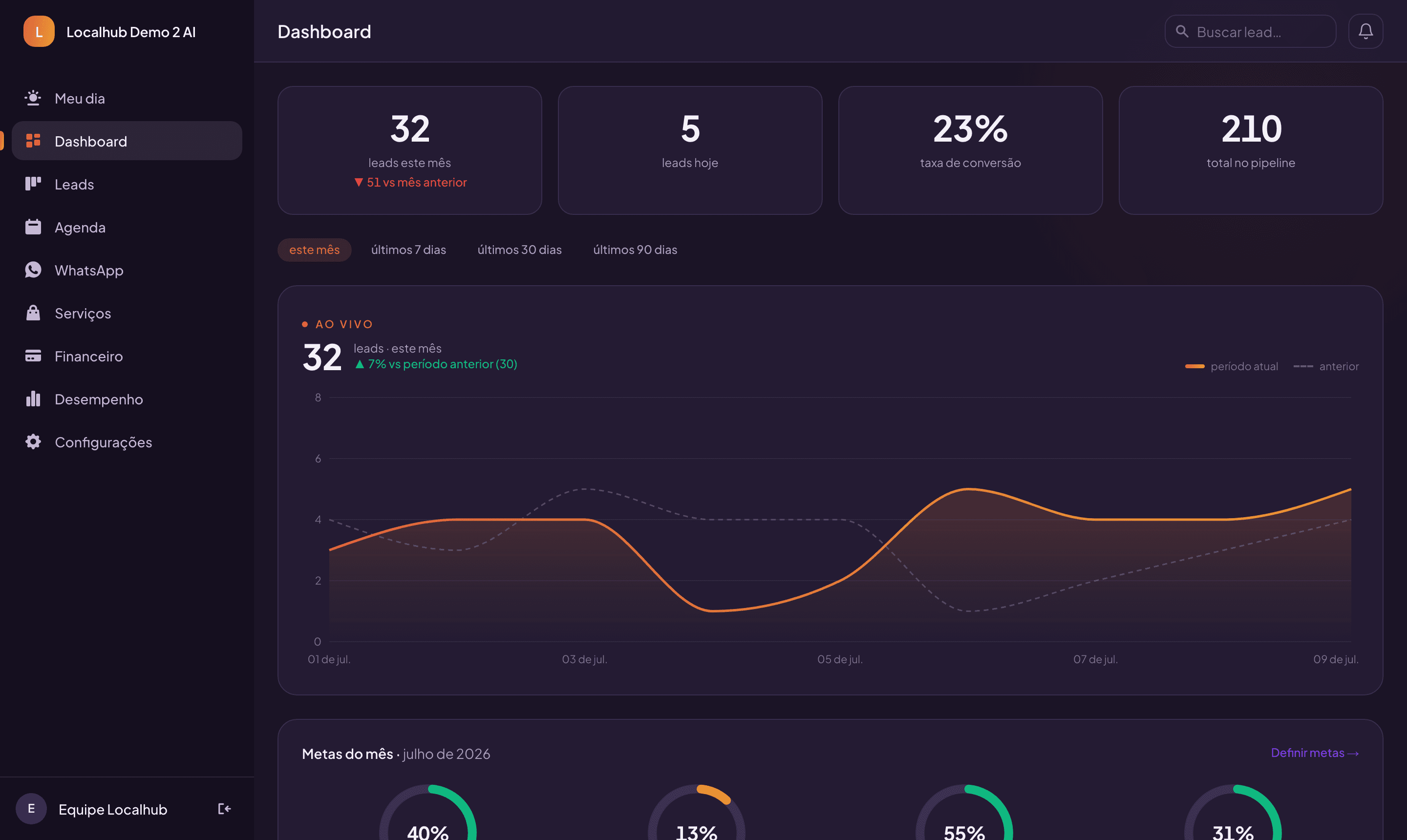
Executive dashboard — this week trending above last week
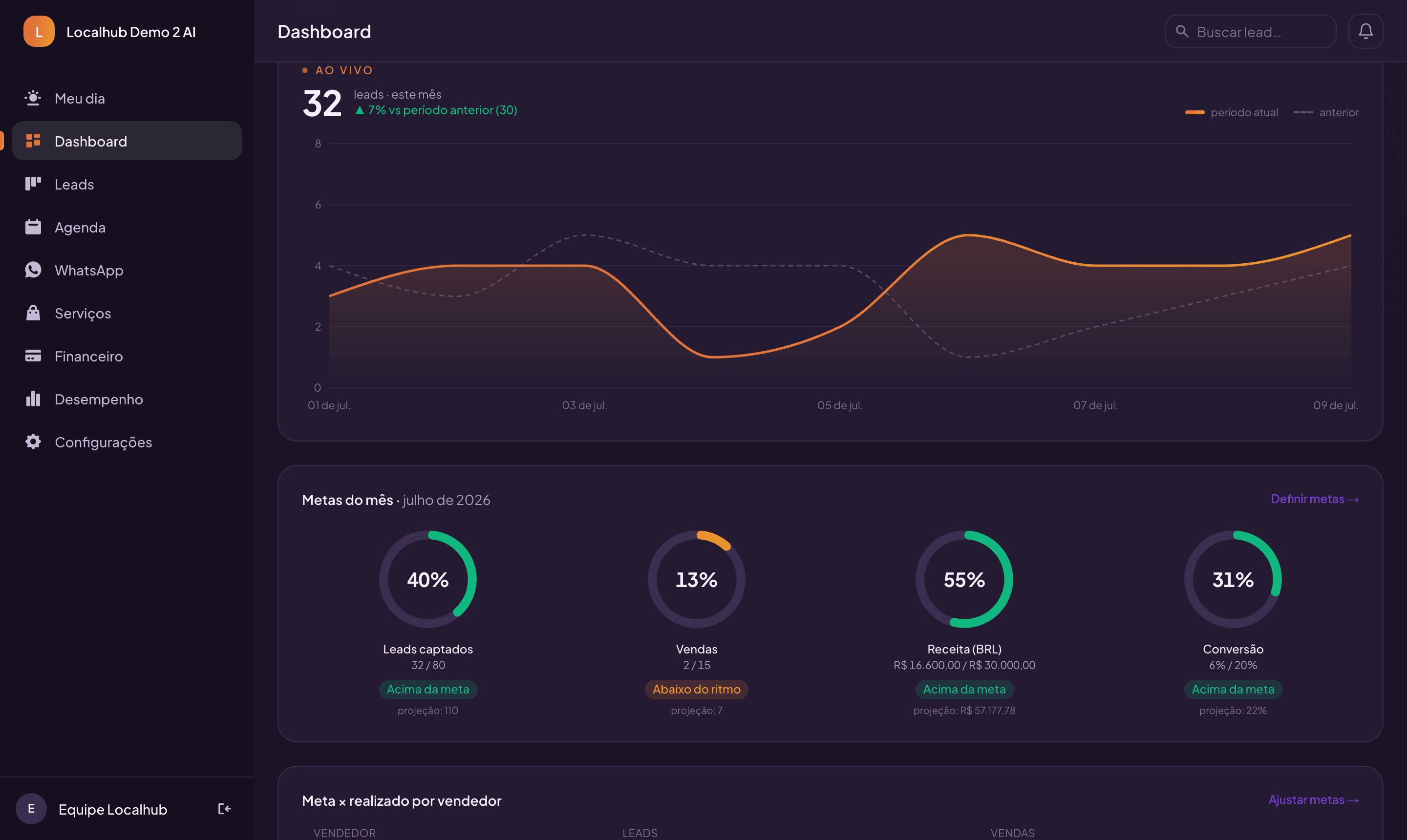
Monthly goals — above, on track or behind, projected by day of month
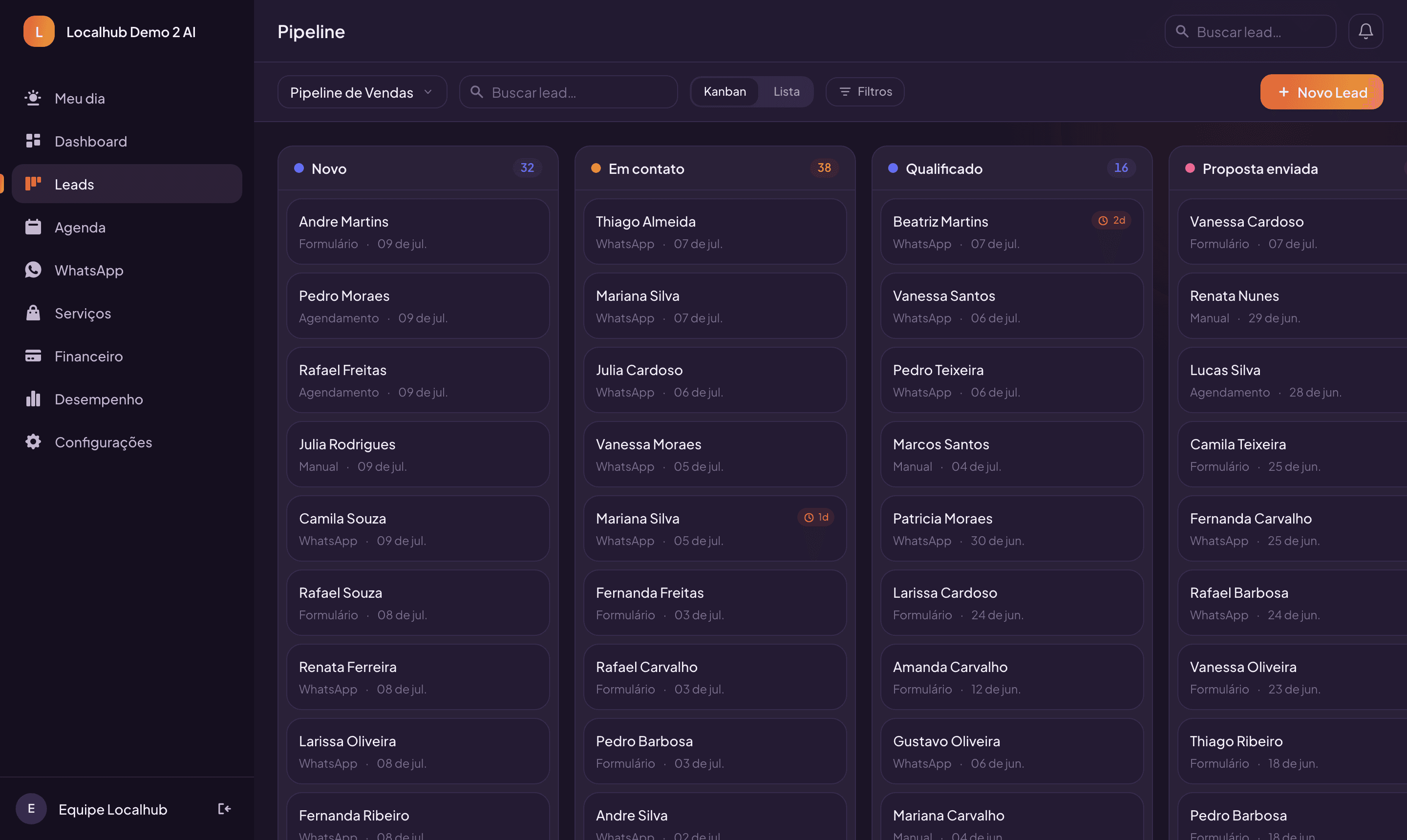
Visual pipeline — the whole operation on one screen
Step 01 · Capture
Capture leads from everywhere — no typing
- Website form straight into the CRM — the lead fills out your page and lands in the pipeline with the source tracked.
- Public booking page — customers pick a time slot by themselves and become leads automatically.
- Built-in anti-spam — validated phone numbers, bots blocked — suspicious leads arrive flagged, never lost.
- Per-salesperson links — each rep shares their own link and the lead comes in already assigned.
“Your website and your WhatsApp work overnight. The CRM takes the notes for you.”
Step 02 · Follow-up
Never miss a follow-up again
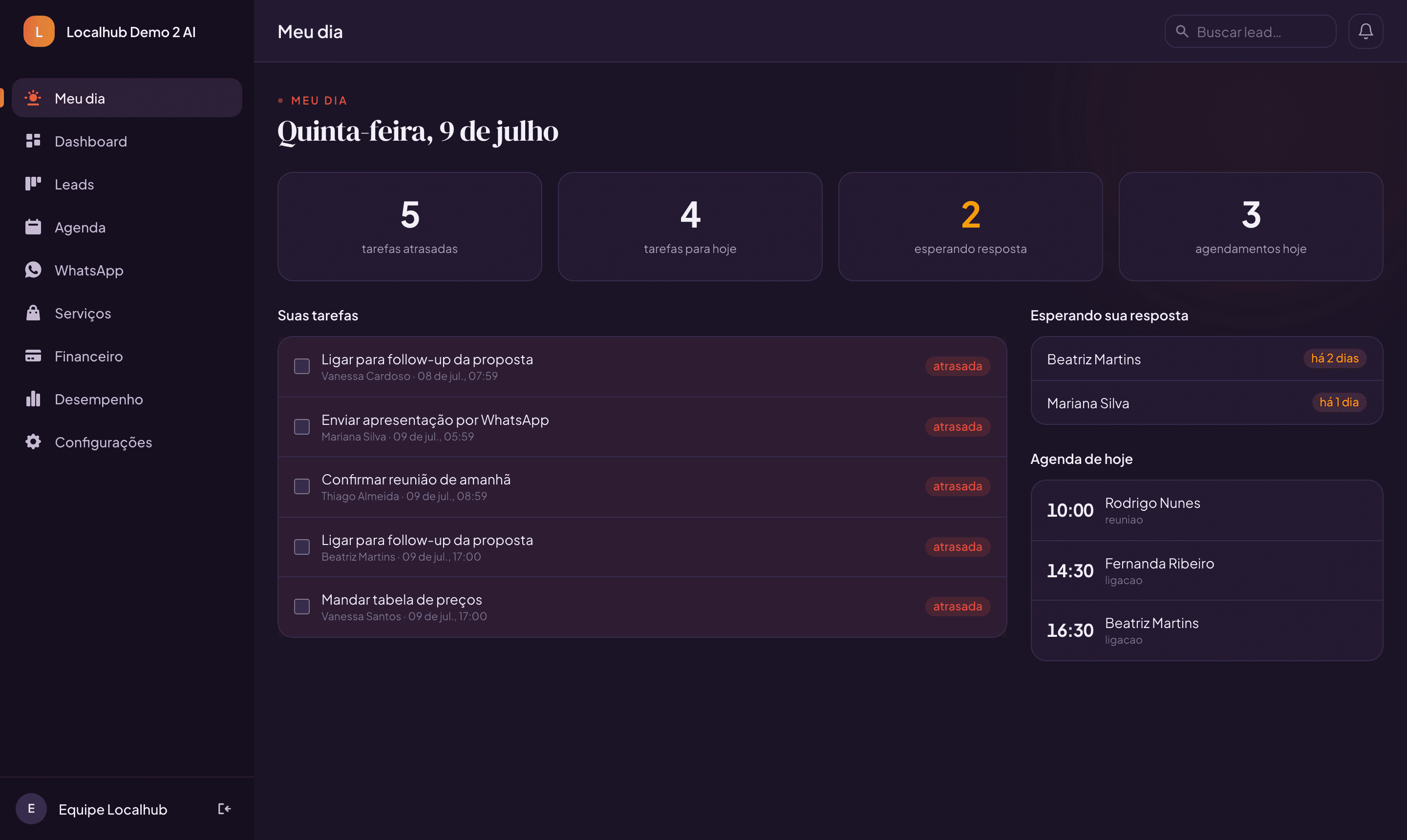
- My Day — the screen reps open every morning: overdue tasks, leads awaiting a reply and today's schedule.
- Tasks per lead — “call tomorrow at 10am” with due date and owner. Miss it and the system calls you out.
- Unanswered-lead alerts — an incoming message with no reply triggers an alert with the waiting time counting.
- Automated cadences — message-and-task sequences that run by themselves, only during business hours, and stop the moment the lead replies.
“Whoever schedules the follow-up closes the deal. Here, follow-ups schedule themselves.”
Step 03 · WhatsApp
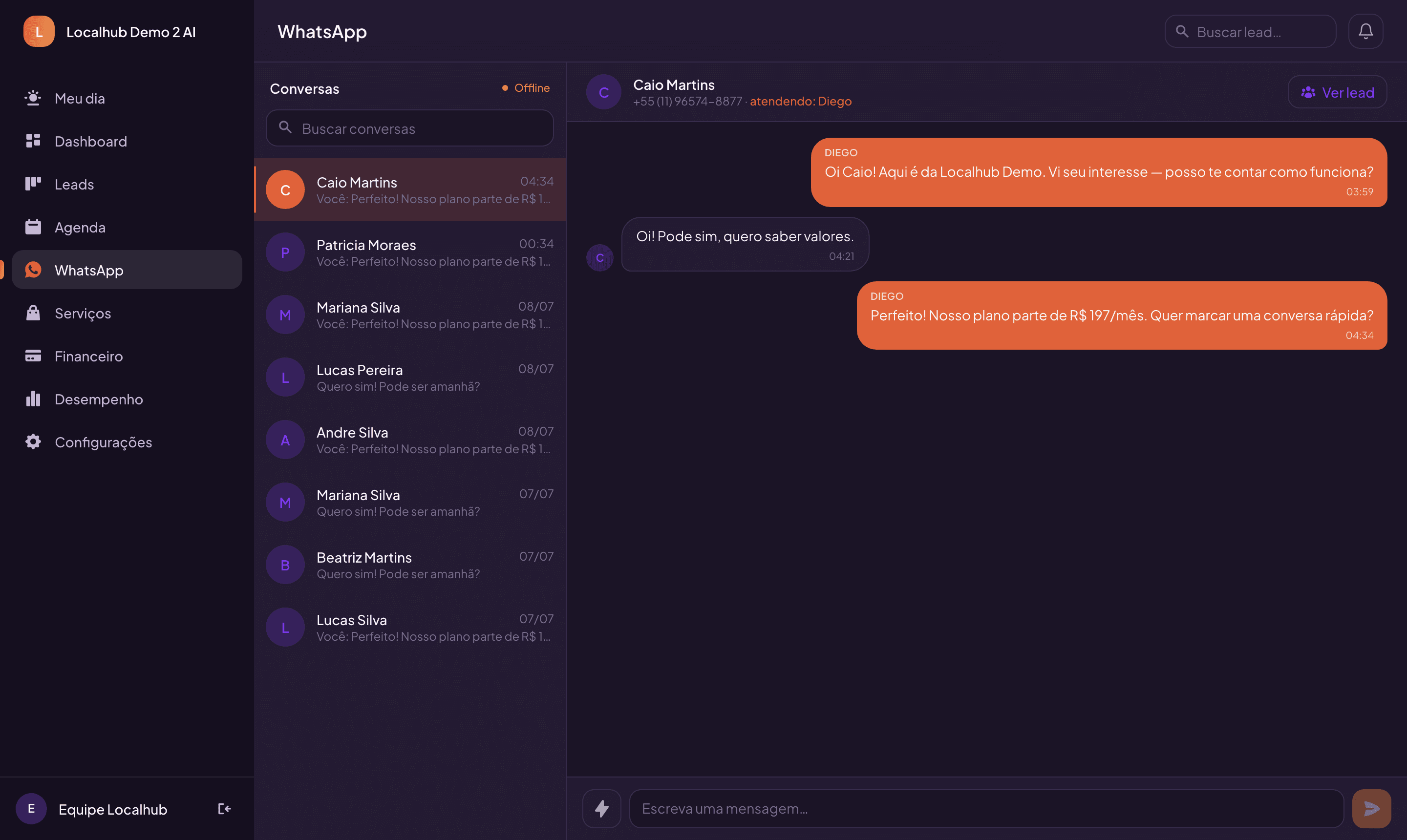
Professional WhatsApp — one number, the whole team
- Central inbox — every conversation on the company number, linked to each lead's record.
- Who's handling it is visible — each message shows the rep; the conversation shows who's on it right now.
- Quick replies with variables — saved messages with {{name}} and {{booking_link}} — two clicks and it goes out personalized.
- AI-suggested replies (optional) — the AI reads the conversation and drafts an answer; the rep approves before sending.
“WhatsApp stops being someone's personal phone and becomes the company's sales channel.”
Step 04 · Scheduling
A calendar that sells on its own
- Online booking per salesperson — individual availability, buffers between meetings and personal links — or one team link.
- Two-way Google Calendar — events created in the CRM appear on Google with a Meet link and invite; reschedule there and the CRM follows.
- Time zones and currencies per account — São Paulo or New York time — always right for whoever is booking.
- Automatic reminders — before every appointment, no memory required.
“The customer picks the time, the Meet link lands in their inbox, and the rep just shows up.”
Step 05 · Pipeline
Visual pipeline — the whole operation on one screen
- Drag-and-drop Kanban — stages in your process colors, filters by source, rep, tag and period.
- 360º lead record — data, industry-specific fields, tasks, WhatsApp and the full timeline.
- Stage path — moving a lead forward is one click at the top of the record.
- Bulk actions and trash — move or assign many leads at once; deleted by mistake, restore it.
Step 06 · Numbers
Numbers that run the business
- Executive dashboard — lead volume over time vs. the previous period, funnel with stage-to-stage % and conversion by channel.
- Goals with projection — leads, sales, revenue and conversion in progress rings with an “on track / above / behind” badge.
- Per-rep goals — individual target × actual, for the manager and for each rep.
- Team scoreboard + finance — a 0–100 quality index per rep and the last 6 months of cash flow.
“No more “I think so”. Every Monday the owner knows which channel converts, who's on pace and how much came in.”
Step 07 · AI
Artificial intelligence built in — and under control
- Conversation analysis — the AI summarizes the WhatsApp negotiation and points to the next step.
- AI-powered automation — a pipeline trigger fires an action — including a drafted reply.
- Trained on your business — it answers based on your own company's material.
- Full governance — on/off switch, usage quota, bring-your-own-key and an audit trail for every call.
Step 08 · Your brand
With your company's face on it
- Your brand colors — the CRM opens with the client's identity — including light or dark theme.
- Industry templates — clinic, gym, consulting… stages and fields pre-configured.
- English or Portuguese, USD or BRL — per account — never mixed.
- On the phone, it's an app — installs from the home screen, no app store, with app-grade navigation.
Behind the scenes — and part of the pitch
From plan to access in minutes
1
Pick a plan with clear limits
2
Accept the terms (auditable consent)
3
Pay by card (Stripe) — or PIX in Brazil
4
The account activates itself and renews monthly
Questions every owner asks
I already use a spreadsheet. Why switch?
A spreadsheet won't warn you that a lead has been waiting 2 days for a reply. The CRM does — and sends the follow-up by itself, during business hours, stopping when the lead answers.
My team won't use it.
The My Day screen says exactly what to do today: overdue tasks, who's waiting for a reply and the day's schedule. And on the phone it's an app — installed in 10 seconds, no store.
WhatsApp already does the job.
Until the rep goes on vacation with the chat on their personal phone. With Localhub the number belongs to the company, the whole team answers and the history stays on the lead's record.
CRMs are expensive and complex.
Localhub comes pre-configured for your industry, with self-service checkout. Set it up in an afternoon and the account activates itself.
How do I know it works?
A funnel with stage-to-stage conversion, conversion by channel and monthly goals with projection. In 30 days you compare before and after with numbers, not impressions.
Tour's over. Now see the CRM running on your business
A guided 30-minute demo, no strings attached — leave with a diagnosis of your funnel.
Book my demoLocalhub — lead capture & sales CRM · localhub.com.br